
Time tracking is the core workflow in Time & Bill. Every time entry belongs to a project and task, which makes reports, billing totals, budgets, and team views useful later.
Standard time entries
Use standard entries when accuracy matters and you know the start and end time. Standard entries are best for customer work, reviewable timesheets, and any work that may later appear in billing reports.
Each standard entry can include:
- Date
- Start time
- End time
- Project
- Task
- Optional note
The note should explain what was done, not just repeat the task name. A clear note makes customer-facing review easier at the end of the month.
Quick add
Quick add is useful when you only know the duration. Enter a duration such as 3h 10m, select the matching project or task suggestion, and book the time. Time & Bill places the entry into an available slot.
Quick add is fast, but it depends on a clear project and task setup. If suggestions are hard to choose from, review the project task names.
Stopwatches
Stopwatches support a workday with frequent task switching. Create stopwatches for the tasks you expect to work on, start the relevant stopwatch, and stop it when you switch or finish.
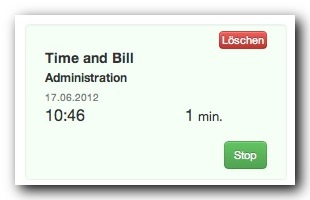
Use stopwatches when:
- You switch between support requests.
- You work in short focused blocks.
- You want minute-level tracking without opening the full entry form each time.
- You need to book time immediately after finishing a task.
Absences and breaks
Absences are separate from project time. Use absence entries for breaks, vacation, sick leave, and public holidays. This helps reports distinguish billable or project-related work from other workday time.
Avoid overlapping entries
Time entries should not overlap. If a new entry conflicts with an existing one, adjust the start or end time before saving. Clean time ranges produce cleaner reports and more reliable totals.
Good tracking habits
- Track work daily instead of reconstructing the week later.
- Keep project and task names understandable.
- Add notes for customer-relevant work.
- Use stopwatches for frequent switching.
- Review the daily total before closing the day.