
Reports help you review work after it has been tracked. They are useful for customer billing, internal controlling, team review, and checking whether project effort matches expectations.
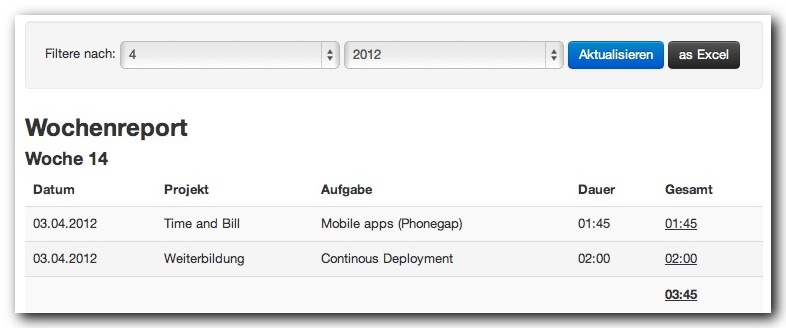
Common report filters
Most reports can be filtered by month or by a custom date range. Some reports also allow project filtering. Choose the smallest useful interval when you need to audit details, and use monthly views when preparing billing or reviewing regular work.
Worktime reports
Worktime reports show how much time was tracked and how it is distributed.
- Worktime per month shows detailed entries for a selected month.
- Worktime per weekday helps identify work patterns across weekdays.
- Weekly Report groups work by week.
- Worktime per project compares effort between projects.
- Worktime grouped by project groups entries by project for easier review.
- Project Details and Task Details drill into selected project or task data.
Timesheets
Timesheets summarize work in a format that is easy to review or share. The monthly timesheet aggregates work by person and project. The daily timesheet shows daily totals, absences, and project time.
Use timesheets when a customer, manager, or internal process needs a compact overview instead of every single entry.
Billing reports
Billing reports rely on configured hourly rates. If a project or task has no rate, financial totals may be incomplete. Review project rates before using earned-by-project reports for billing decisions.
Important billing views include:
- Financial Overview
- Earned by project
- Earnings in detail
- Total Projecttime
Expense and mileage reports
When enabled, reports also include expenses and mileage. Expense reports show costs by interval and project. Mileage reports show trips, distances, kilometer rates, and totals.
Excel export
Use Excel export when you need offline analysis, customer-specific formatting, or external archiving. Exports are especially useful before invoicing because they let you verify dates, tasks, notes, and totals outside the application.