
Team work is useful when more than one person tracks time on the same project. Project owners can invite colleagues, assign roles, and review team reports.
Project roles
Time & Bill separates project access into roles.
- Owner can manage the project, settings, members, rates, tasks, and budget thresholds.
- Controller can review project work and budget information without full administrative control.
- Member can track and edit their own project time.
Use the lowest role that gives a person enough access. This keeps project administration controlled and reduces accidental changes.
Invite colleagues
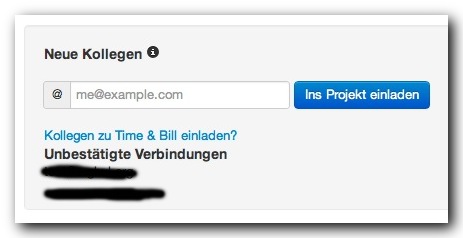
Project invitations are created from the project area. Enter the colleague’s email address and add them to the project. If the user is not found or is already part of the project, Time & Bill shows a validation message.
Organizations and company context
Depending on your account setup, projects may be connected to a company or organization context. This helps group people and project access when multiple team members work together regularly.
Team reports
Team reports show work across people and projects. They include worktime reports, timesheets, earnings reports, expense reports, and mileage reports when the corresponding features are enabled.
Useful team reports include:
- Worktime per person and project
- Worktime per person, project, and task
- Team timesheet
- Team earnings by project
- Team expenses by interval
- Team mileage
Team review workflow
At the end of a reporting period, review team totals before using the data for billing or controlling. Check whether every team member tracked time to the correct project and task, and whether absences or non-project work were entered correctly.