
All features our online time tracking solution
Easy time tracking
Tracking work time is a boring but necessary part of successful project management. It should be an easy task. Time & Bill helps you manage your work time in a snap. At the “dashboard” you can track your times and see what you did today.
You can switch between the “classic tracking” and the “express tracking”.
With classic tracking, you click on the calendar tab and a form opens which allows you to store detailed information of your work time.
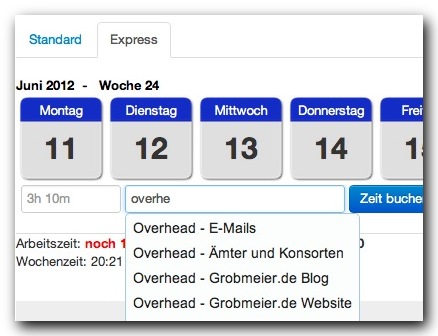
With express mode you just enter the length of your work time. For example, you can enter 3h 10m for 3 hours and 10 minutes. In the next field you just type the name of the task of project and choose the auto complete field from the right suggestions. The time will be added starting from 8am.
One-click tracking
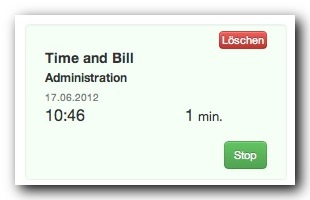
Super fast tracking is supported by stopwatches. A single click is enough to have everything necessary on your tracking sheet. When you start your day, open all the stopwatches you might need. Then start the first one and begin your work. When you switch your task, just start the next stopwatch. Once this is done, the first stopwatch stops tracking and stores the time information on your tracking sheet. With stopwatches you are able to track task by task on a per-minute basis without opening a form or thinking about what to put into it.
Tracking sheet
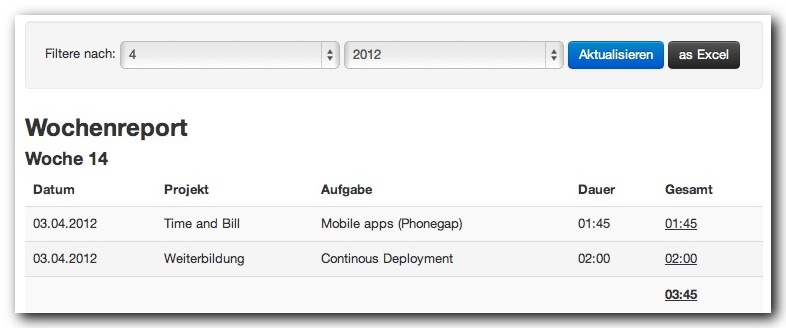
Time to invoice your customers? Or do you just want to compare your working times with the time tracking tool of your customer? It is possible to look at a complete report at any time. By default there are several grouping options available. If that is not sufficient, you can export your time to Excel. Time & Bill offers an export button which allows you to further analyse your data.
Organize your tasks
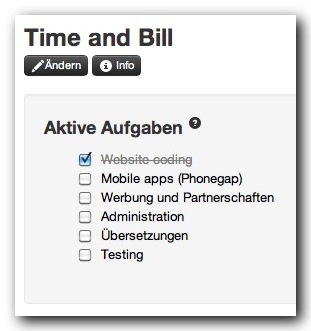
Time & Bill recognizes three kinds of tasks: active, inactive, and common tasks. You work on the active tasks, while inactive ones are frozen and not shown on the dashboard. This will help you to keep an oversight.
Common tasks are tasks which occur during the whole project. While other tasks may be finished at some point in time, common tasks are ongoing and will never be completed. If you get a support call, then you could track it with a common task called “support”. As long as you don’t want to track how long a specific support activity takes, it’s perfect for a common task. Other common tasks can be “meetings” or “coffee breaks”.
To organize yourself, you can simply change the activity status of a task by dragging and dropping the task from one box to another. We don’t have complex masks.
Ready for your team
Time & Bill supports your team! With our team module you can add Time & Bill users as project leaders, controllers, or colleagues to your project.
The project leader will get the same rights as you. The controller can check on budget and work time without having administrative rights. The colleague can only enter and edit their working time.