
Time & Bill now includes a new feature for people who need more than simple time tracking.
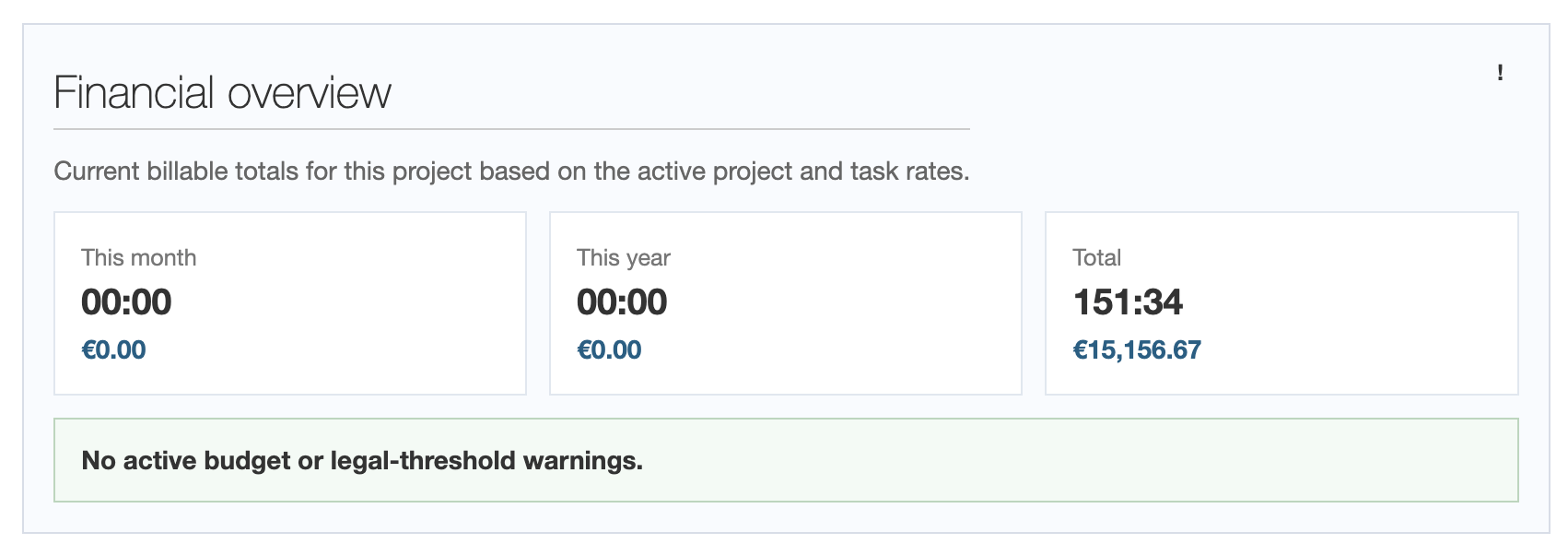
From now on, each project can have a financial overview with time and value for:
- the current month
- the current year
- the full project history
On top of that, there are thresholds and warnings when a project moves into a critical range.
Why this matters
Many service providers do not work with hours alone. They also work with budgets, monthly limits, or internal comparison values.
A typical example:
- a client does not want to pay more than 5,000 euros per month
- a consulting project should stay below 12,000 euros overall
- a case is evaluated internally against a reference amount to identify economic risks early
Until now, these values often had to be kept in mind manually or calculated in separate spreadsheets. This feature is meant to avoid exactly that.
What is visible now
If a project hourly rate or task hourly rate is set for a project, Time & Bill now shows directly in the project:
- Time (Month)
- Value (Month)
- Time (Year)
- Value (Year)
- Time (Total)
- Value (Total)
Together with these totals, warnings can appear when needed for:
- monthly budget
- yearly budget
- total budget
- reference threshold
This information is not only visible in the project itself, but also in the related warning and overview areas.
How the calculation works
The logic is intentionally simple and transparent.
The calculation uses:
- only billable time entries
- the task hourly rate, if one is set
- otherwise the project hourly rate
A generic user default hourly rate is deliberately not used here. The feature should only work with explicitly set project rates.
That means:
- time values are the summed booked hours
- values are calculated from time x active project or task rate
Thresholds instead of guesswork
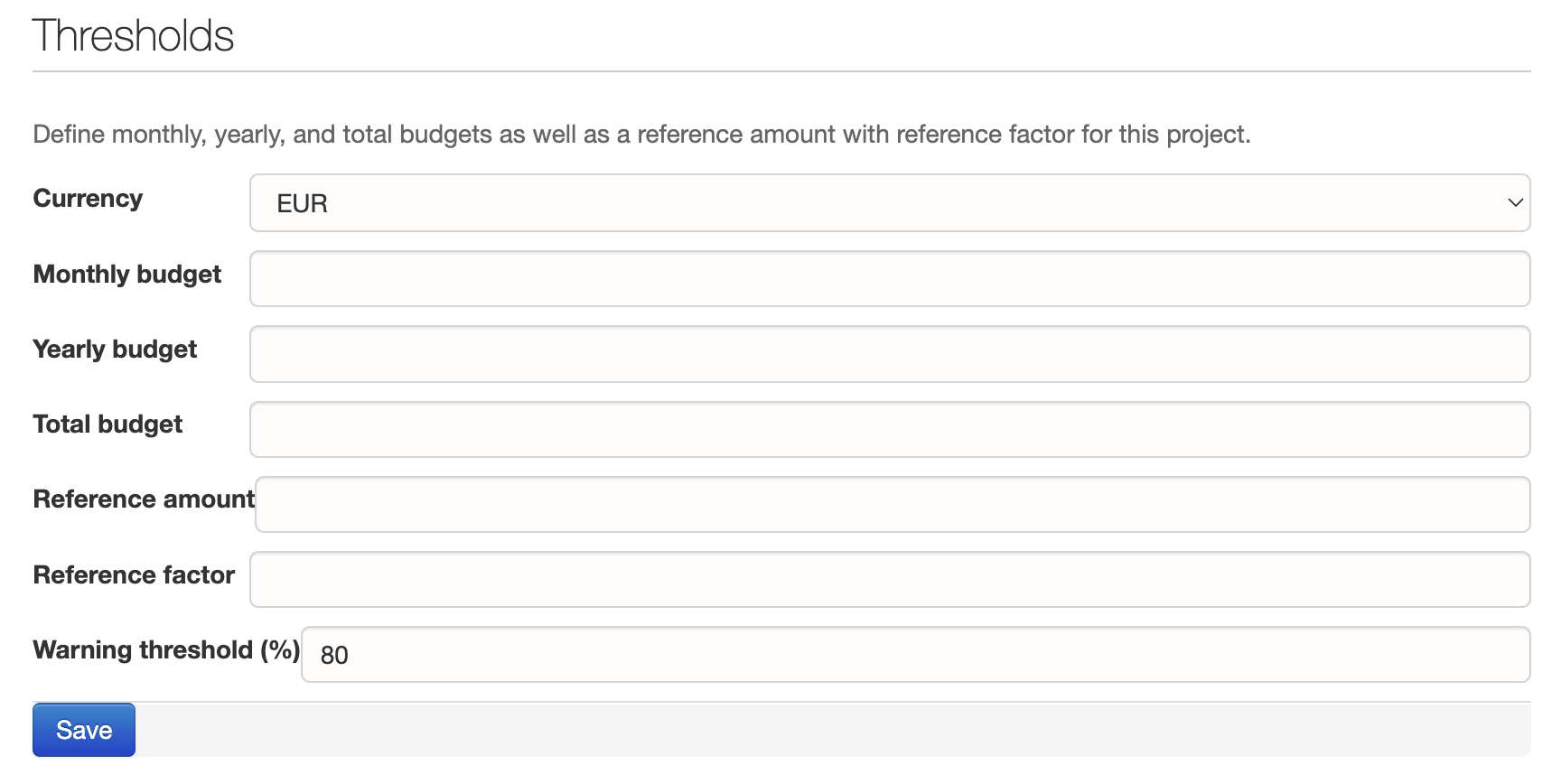
Thresholds can now be defined in the project settings:
- monthly budget
- yearly budget
- total budget
- reference amount
- reference factor
- warning threshold (%)
This supports two typical scenarios.
Example 1: Consulting
You take on a smaller consulting assignment.
You expect:
- an architecture review
- a few calls
- some code review
- one or two days of follow-up work
You think:
Normally, this kind of work should land at around 2,000 euros.
Then you could enter, for example:
- reference amount: 2,000 euros
- reference factor: 1.5
This creates a comparison threshold of:
- 3,000 euros
With a warning threshold of 80%, the warning starts at:
- 2,400 euros
And the threshold is considered exceeded from:
- 3,000 euros
Example 2: Law firm / case
In law firms or legally sensitive cases, it is often not only important how many hours were recorded. What matters is how the total value compares to an internal or statutory reference value.
Here, the reference amount can be derived from a known fee basis, for example from an amount that is internally taken from the German RVG table or from the expected statutory fee structure.
Then you might enter:
- reference amount: 2,000 euros
- reference factor: 5
This gives you:
- comparison threshold: 10,000 euros
With an 80% warning threshold:
- warning from 8,000 euros
- exceeded from 10,000 euros
Important: Time & Bill does not calculate statutory legal fees automatically. The system only takes the reference amount and factor you set and turns them into a clearly visible risk or comparison value.
Who can see this data?
The financial overview is intentionally restricted.
Currently, only these roles can see it:
- Owners
- Controllers
Regular project members do not see these financial totals and warnings.
Who is this useful for?
The feature was triggered by a concrete law-firm use case, but it is intentionally broader.
It is useful, for example, for:
- lawyers and criminal defense attorneys
- tax advisors
- business consultants
- agencies
- architects
- expert witnesses
- smaller project teams with clear budget limits
Whenever not only time but also the economic frame of a project matters, the financial overview helps.
Conclusion
With the new financial overview, pure time tracking becomes an early control instrument.
You no longer only see what was booked, but also where a project currently stands economically:
- in the month
- in the year
- across the full project lifetime
And that is exactly the difference between pure recording and real steering.